
Artificial intelligence has rapidly evolved into an indispensable tool for modern living, empowering individuals to work significantly faster, acquire new skills seamlessly, and resolve complex challenges with incredible efficiency. At the forefront of this digital transformation is Google Gemini, Google’s powerful AI assistant engineered to help users draft content, answer detailed questions, generate creative concepts, summarize lengthy documents, assist with programming, and automate routine workflows.
Whether you are a student aiming for academic excellence, a busy professional managing tight deadlines, a marketer creating engaging campaigns, or an entrepreneur scaling operations, learning to leverage Google Gemini effectively can dramatically elevate your overall productivity. This comprehensive guide provides everything you need to master Google Gemini, moving step-by-step from initial account setup to advanced prompting strategies.
Understanding the Architecture of Google Gemini

Google Gemini is a sophisticated AI assistant developed by Google that harnesses cutting-edge large language models to comprehend natural human language, generate articulate responses, process multimodal inputs, and assist across a vast spectrum of personal and professional endeavors. Deeply integrated within the Google ecosystem, Gemini offers exceptional convenience for users who rely daily on tools like Gmail, Google Docs, Google Drive, and Google Workspace.
Key functional capabilities include:
- Delivering rapid, context-aware answers to complex inquiries
- Drafting high-quality written articles, formal emails, and reports
- Condensing lengthy documents and research papers into actionable summaries
- Facilitating creative brainstorming sessions for novel projects
- Structuring personalized study guides and academic notes
- Writing, debugging, and explaining programming code
- Translating languages with high contextual accuracy
- Generating imaginative storytelling and tailored marketing copy
The primary objective of Google Gemini is to simplify your workload and accelerate creative output.
Primary Reasons to Adopt Google Gemini
Integrating an AI assistant into your workflow saves valuable time while fundamentally boosting operational efficiency through the automation of repetitive tasks.
Core benefits include:
- Instant information retrieval without digging through endless search results
- Consistently high-quality text and content generation
- Comprehensive research support across diverse technical fields
- Substantial productivity gains in daily workplace tasks
- Unlocking creative inspiration whenever you hit a mental block
- Accessible coding help for both novice and experienced developers
- Seamless multilingual translation capabilities
- Direct synergy with existing Google Workspace applications
These robust capabilities make Gemini a versatile asset for everyday life.
Step 1: Setting Up Your Google Gemini Account
Getting started with Gemini is a straightforward process that requires nothing more than a standard Google account.
Follow these initial steps:
- Navigate to the official Google Gemini portal using any modern web browser.
- Sign in using your primary Google credentials.
- Review and accept the service terms and privacy updates when prompted.
- Configure your baseline user settings and feature preferences.
- Initiate your very first conversation by typing a greeting or question into the prompt box.
Having an active Google account gives you immediate access to basic and advanced features.
Step 2: Navigating the Interface with Confidence
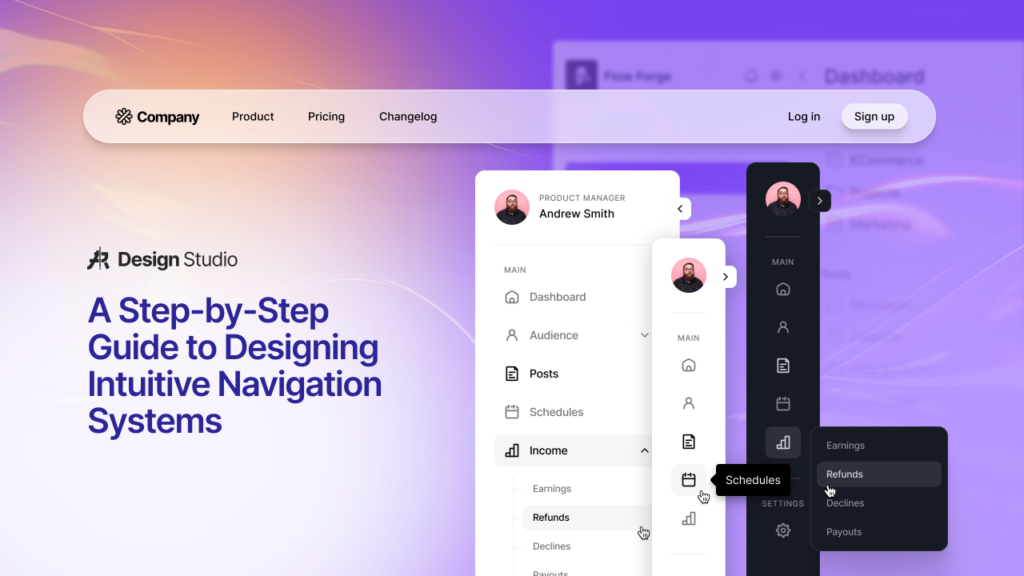
The user interface of Google Gemini is thoughtfully designed for simplicity, ease of navigation, and quick access to key functionality.
Key interface components include:
- The central chat input box where you type instructions and questions
- A convenient conversation history sidebar to revisit past discussions
- A dedicated new chat button to start fresh topics without cross-talk
- The settings menu for adjusting themes, extensions, and account preferences
- Account controls to manage data privacy and linked services
- File and image upload buttons to analyze external media and documents directly
Familiarizing yourself with this layout enables a smooth, efficient workflow.
Step 3: Crafting Clear and Explicit Prompts
The quality of output you receive from Gemini depends directly on the clarity, context, and detail contained within your prompt.
Avoid vague requests such as:
“Write about marketing.”
Instead, construct detailed, context-rich instructions like:
“Draft a 700-word beginner’s guide to digital marketing tailored for small business owners. Include structured headings, practical real-world examples, and a strong actionable conclusion.”
Providing precise constraints consistently yields far more relevant and sophisticated responses.
Step 4: Leveraging Gemini for Professional Writing
Content creation remains one of the most powerful and popular applications of Google Gemini.
Gemini excels at generating:
- Engaging blog posts and editorial content
- Polished, professional emails and client communications
- Persuasive product descriptions for e-commerce stores
- Creative social media captions optimized for engagement
- Comprehensive business proposals and formal reports
- Tailored resumes and persuasive cover letters
- Captivating creative stories and script outlines
You can also instruct Gemini to rewrite, shorten, tone-adjust, or expand existing text.
Step 5: Accelerating Research and Learning

Gemini transforms the research process by distilling vast amounts of complex information into structured, easily digestible summaries.
Practical research applications:
- Synthesizing broad industry overviews in seconds
- Building structured study notes and flashcard content
- Generating side-by-side comparison tables for products or concepts
- Uncovering market trends and specialized insights
- Explaining complex scientific or technical theories in simple terms
Note: Always independently verify critical facts, historical dates, and medical or legal data with authoritative sources before publishing or submitting work.
Step 6: Utilizing Gemini as a Coding Companion
Whether you are learning your first programming language or building software applications, Gemini serves as an intelligent coding partner.
How Gemini aids developers:
- Writing clean code snippets in Python, JavaScript, C++, HTML, and more
- Explaining complex algorithms step-by-step
- Identifying syntax errors and debugging broken code
- Refactoring existing functions to improve performance and readability
- Generating comprehensive code documentation and comments
Always review, test, and sanitize AI-generated code before deploying it to production environments.
Step 7: Mastering Advanced Prompt Engineering
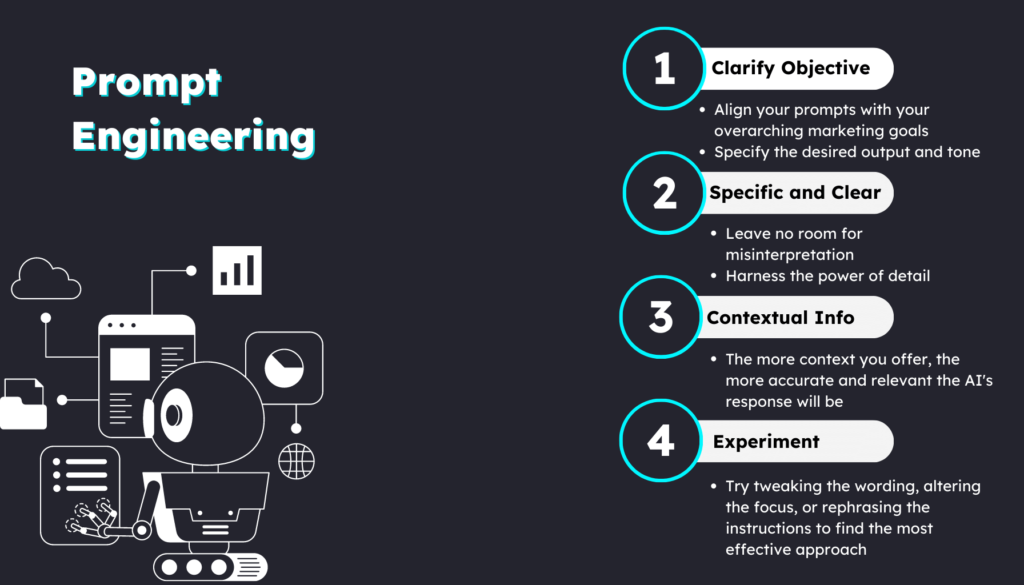
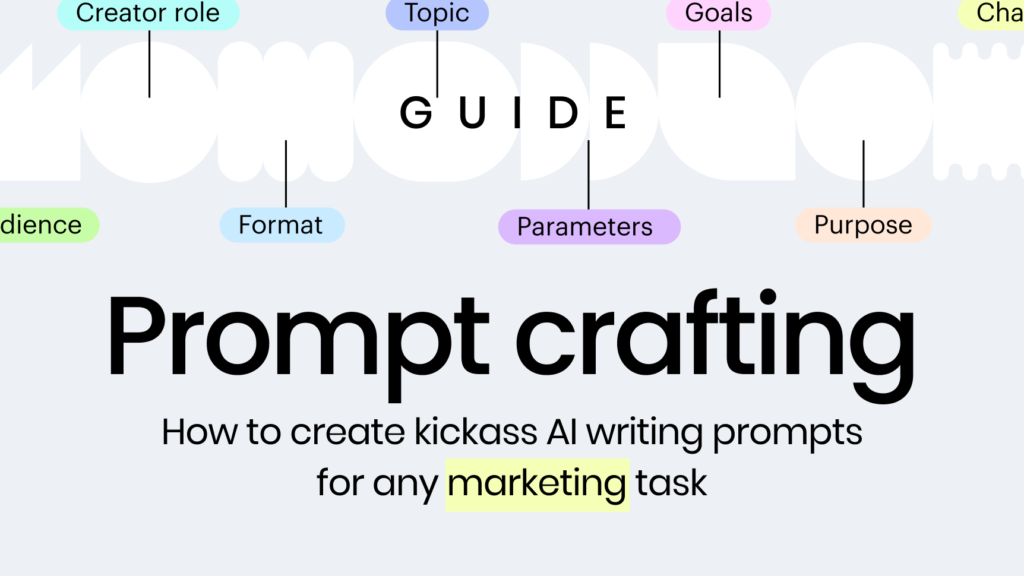
To consistently extract the highest value from Gemini, it is essential to refine how you structure your instructions.
Proven prompting techniques:
- Assign a clear persona (e.g., “Act as a senior financial analyst…”).
- Specify the desired layout using tables, bullet points, or paragraphs.
- Define the target audience explicitly to calibrate technical depth.
- Set precise boundaries regarding tone, word count, and style.
- Request concrete examples to illustrate complex points.
- Iterate and ask for revisions if the first attempt needs fine-tuning.
Investing time in crafting better prompts saves significant editing time later.
Step 8: Structuring and Organizing Your Chats
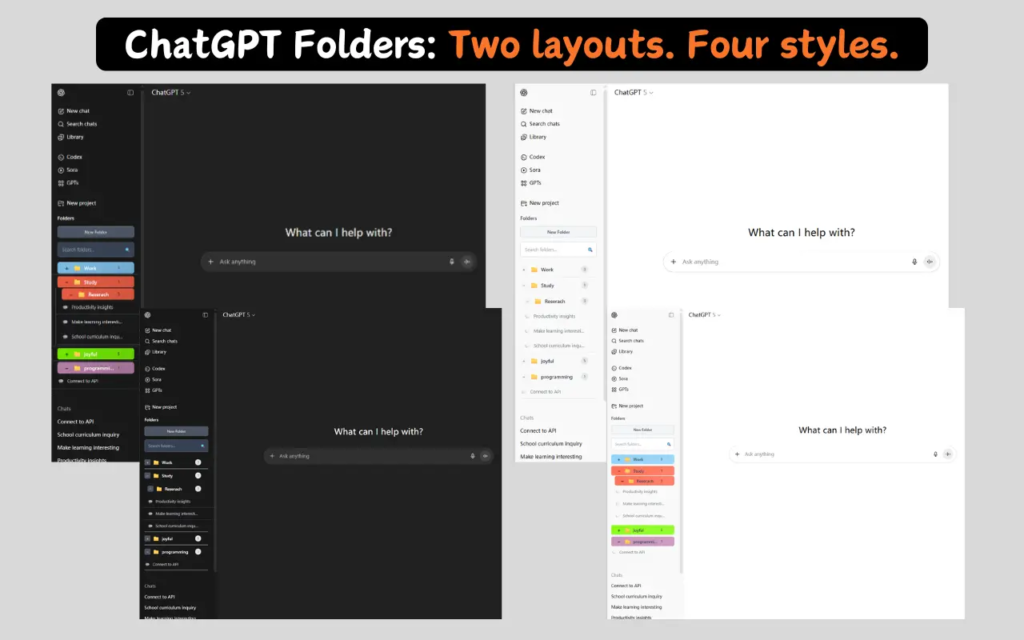
Maintaining an organized workspace within Gemini ensures you can easily retrieve previous ideas, research, and code snippets.
Best organization practices:
- Dedicate separate chat threads to distinct projects or topics to avoid context mixing.
- Rename chat titles so they are easy to identify in your history sidebar.
- Periodically review previous conversations to extract key insights.
- Copy vital outputs into Google Docs or Drive for long-term storage and collaboration.
Thoughtful chat management leads to a far more productive digital workspace over time.
Top Everyday Use Cases for Google Gemini
Google Gemini’s versatility makes it a valuable asset across virtually every industry and academic discipline.
Popular daily applications:
- Writing articulate blog articles and opinion pieces
- Drafting quick, professional responses to routine emails
- Structuring slide-by-slide outlines for upcoming presentations
- Brainstorming disruptive business ideas and product names
- Learning new languages through interactive dialogue
- Creating customized travel itineraries based on budget and preferences
- Designing targeted marketing content and ad copy
- Organizing daily task lists and project schedules
Adapting the tool to your specific workflow unlocks immense personal leverage.
Essential Tips for Optimal Performance
To achieve the best possible results from every interaction with Gemini, keep these quick tactical tips in mind:
- Break multifaceted projects down into smaller, sequential steps.
- Ask Gemini to explain its reasoning when solving complex logic or math problems.
- Request multiple stylistic variations of a response to compare options.
- Explicitly state the desired tone, such as formal, persuasive, or conversational.
- Provide reference text or context directly within the prompt whenever possible.
Continuous experimentation is the fastest way to master the platform.
Emerging Trends in Google Gemini and AI for 2026
As artificial intelligence capabilities advance, Google Gemini continues to incorporate next-generation innovations that redefine human-computer collaboration.
Key trends shaping the current landscape include:
- Enhanced multimodal processing, seamlessly blending text, voice, images, and video
- Deeper contextual integration across productivity tools like Google Workspace
- Smarter document analysis capable of digesting massive files instantly
- Advanced AI-assisted software engineering and automated debugging
- Hyper-personalized assistance tailored to individual user habits
- Autonomous workflow automation that handles complex multi-step tasks
- Real-time collaborative features designed for remote teams
Embracing these ongoing advancements empowers you to stay ahead in an increasingly AI-driven world.
Frequently Asked Questions (FAQs)
What is Google Gemini used for?
Google Gemini is used for writing, research, coding assistance, brainstorming, summarizing information, translation, and improving productivity.
Is Google Gemini free to use?
Google offers both free and paid access options. Available features may vary depending on your plan and region.
Can Google Gemini help with coding?
Yes. It can explain programming concepts, generate code examples, assist with debugging, and help you learn different programming languages.
How can I get better results from Google Gemini?
Use clear, detailed prompts, specify the format and audience, ask follow-up questions, and review the responses before using them.
Is Google Gemini suitable for students?
Yes. Students can use it to summarize topics, create study notes, understand concepts, brainstorm ideas, and improve writing, while independently verifying important information for accuracy.