
Artificial intelligence (AI) is no longer something we only see in science-fiction movies or advanced research laboratories. It has quietly become part of our everyday routines. From unlocking a smartphone with facial recognition to getting directions, translating languages, recommending music, and helping write emails, AI is changing how we work, learn, communicate, and manage our time.
What makes AI especially interesting is that many people use it without even realizing it. When a shopping app recommends a product, a navigation app suggests a faster route, or a voice assistant answers a question, AI may be working behind the scenes to make the experience more useful and personalized.
In 2026, AI tools are also becoming more accessible to students, professionals, content creators, small businesses, and families. You no longer need advanced technical knowledge to use AI for everyday tasks. With the right approach, it can help you organize your schedule, understand complex topics, brainstorm ideas, and reduce repetitive work.
But AI is not perfect. It can misunderstand instructions, provide inaccurate information, and raise concerns about privacy. The key is learning how to use it responsibly while understanding where human judgment still matters.
What Is AI in Daily Life
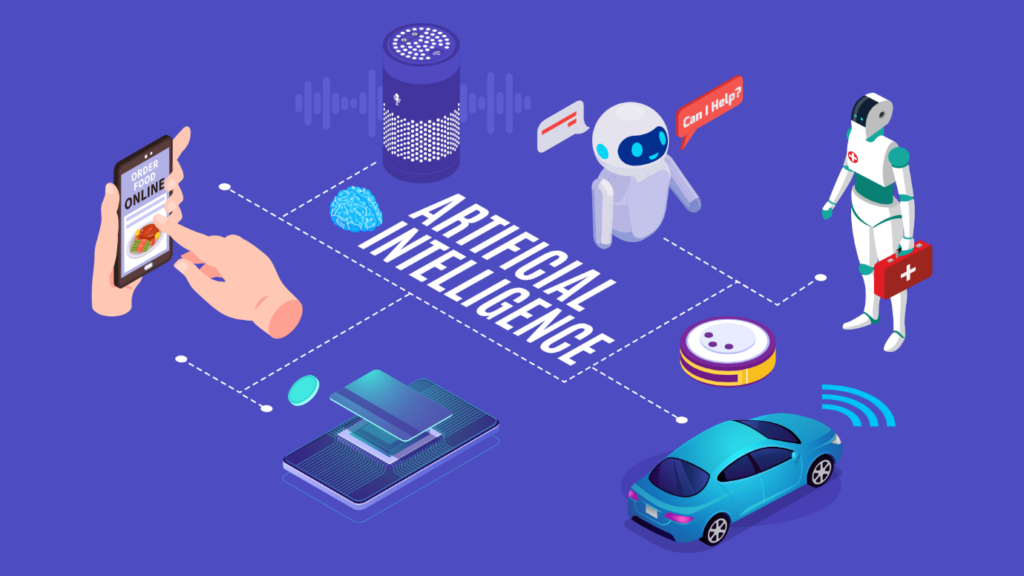
AI in daily life refers to using artificial intelligence technologies to support ordinary activities, solve problems, and make digital services more convenient. These technologies can recognize patterns, process language, analyze information, generate content, and provide recommendations based on the data available to them.
For example, an AI-powered navigation app can estimate traffic conditions and suggest an alternative route. An email service may identify spam messages, while a writing assistant can help improve grammar and clarity.
AI does not think or understand the world exactly as a human does. Different systems are designed for different tasks, and their capabilities depend on their training, available data, and design.
Everyday Examples of AI
| Daily activity | How AI may help | Practical benefit |
|---|---|---|
| Using a smartphone | Facial recognition, voice input, photo tools | Faster and more convenient interactions |
| Travelling | Traffic prediction and route suggestions | Better journey planning |
| Studying | Explanations, summaries, practice questions | Additional learning support |
| Shopping online | Product recommendations and search | Discovering relevant options |
| Writing messages | Grammar suggestions and drafting | Clearer communication |
| Managing a home | Smart-device automation | More convenient routines |
| Watching videos | Personalized recommendations | Discovering content |
| Managing work | Summaries, planning, and brainstorming | Less repetitive effort |
The goal is not to replace every activity with AI. It is to identify tasks where technology can save time, improve accessibility, or help you make better-informed decisions.
AI for Studying and Learning
AI is changing the way students discover information and practice new skills. Instead of searching through multiple pages for a basic explanation, learners can ask an AI assistant to explain a difficult concept in simpler language, create revision notes, or generate practice questions.
For example, a student studying science can ask for a step-by-step explanation of photosynthesis. Someone learning English can practice conversations, improve grammar, or translate unfamiliar words. AI research assistants can also help organize notes and summarize source material.
Tools such as NotebookLM and Gemini offer features that can support research, learning, and understanding information. Their available capabilities vary by product, account, and region. Google AI+1
Why AI Skills Are No Longer Optional for College Students in 2026<!– –> | SRDT Training
Practical ways to use AI for learning:
- Ask for a simple explanation of a challenging topic.
- Turn your notes into flashcards or practice quizzes.
- Request examples that connect theory with everyday situations.
- Practice a new language through short conversations.
- Create a revision schedule based on your available time.
Important pointer: Use AI to understand the subject, not simply to copy answers. Check facts against reliable learning materials, and follow your school or college’s rules about AI-assisted assignments.
AI for Work and Productivity

One of the most useful applications of AI is reducing repetitive work. Many professionals spend hours drafting emails, organizing information, preparing meeting summaries, and planning tasks. AI assistants can help create first drafts, structure documents, and turn scattered ideas into an organized plan.
Imagine that you need to prepare a weekly work report. Instead of starting with a blank page, you can provide your completed tasks and ask an AI tool to organize them into achievements, ongoing work, and next steps. You still review the content, correct mistakes, and ensure the final report reflects what actually happened.
AI tools can also help brainstorm presentation topics, summarize long documents, generate spreadsheet formulas, and improve the clarity of written communication.
| Task | Example AI assistance | What you should review |
|---|---|---|
| Emails | Draft a polite, professional reply | Tone, names, and facts |
| Reports | Organize notes into sections | Accuracy and completeness |
| Meetings | Summarize supplied notes or transcripts | Decisions and action items |
| Presentations | Suggest slide structure and key points | Evidence and relevance |
| Research | Group information and identify themes | Source quality and factual accuracy |
| Planning | Break a project into smaller tasks | Deadlines and feasibility |
AI can be particularly useful when you know what you want to achieve but need help getting started. It can provide a draft quickly, leaving you more time to refine the result.
AI in Smartphones and Everyday Communication
Your smartphone is one of the most common places to encounter AI. Depending on the device and software, AI-powered features may improve photographs, recognize speech, suggest words while typing, translate text, filter unwanted messages, or help you search for information.
Voice assistants make these features easier to use when your hands are busy. You might ask for a reminder, request directions, dictate a message, or get help with a quick calculation. Some devices also support visual assistance, allowing you to ask questions about an image or text displayed on your screen. Google Assistant Help+2
For people who have difficulty typing or navigating small screens, voice input and text-to-speech features can make digital services more accessible. Translation tools can also help people communicate across language barriers.
However, convenience should not come at the cost of privacy. Review app permissions, keep your device updated, and avoid sharing sensitive information with tools you do not trust.
AI for Shopping, Food, and Personal Planning

AI can make everyday planning more convenient by helping people compare options, discover ideas, and organize decisions. Shopping platforms may recommend products based on browsing or purchase patterns, while recipe tools can suggest meals based on ingredients you already have.
Suppose your kitchen has rice, vegetables, and a few basic spices. You could ask an AI assistant to suggest three meal ideas, provide a shopping list for the missing ingredients, and adapt the recipes for two people.
Similarly, you can use AI to organize a weekly grocery list, brainstorm birthday gifts, compare product specifications, or build a simple household schedule.
Boost Your Nutrition with a Customized Meal Planner | MealFlow Blog
Some practical examples include:
- Meal planning: Generate a weekly menu and grocery checklist.
- Shopping research: Compare features and create a list of questions before buying.
- Budget organization: Categorize expenses you provide and identify spending patterns.
- Event planning: Prepare checklists for birthdays, celebrations, or family gatherings.
- Travel preparation: Organize an itinerary and suggest activities based on your preferences.
Remember that AI recommendations are not always independent or comprehensive. Product suggestions can be influenced by platform design, available data, or commercial relationships. Compare prices and specifications yourself before making a purchase.
AI for Health and Personal Well-Being
AI is increasingly used in health-related services, including fitness tracking, activity monitoring, medical image analysis, and tools that help people understand health information. Everyday wellness apps may help users track sleep patterns, record workouts, or establish consistent routines.
For example, you might use a planning assistant to create a realistic walking schedule, prepare questions for a medical appointment, or organize general information about sleep habits. These applications can make it easier to build routines and prepare for conversations with qualified professionals.
However, AI should not replace professional medical advice, diagnosis, or emergency care. A chatbot may misunderstand symptoms, overlook important context, or provide information that sounds convincing but is incorrect. Medical decisions should be based on appropriate professional guidance and reliable evidence.
When using health-related AI, avoid sharing identifiable medical details unless you understand the service’s privacy practices and are comfortable with its data handling.
AI in Smart Homes and Everyday Convenience
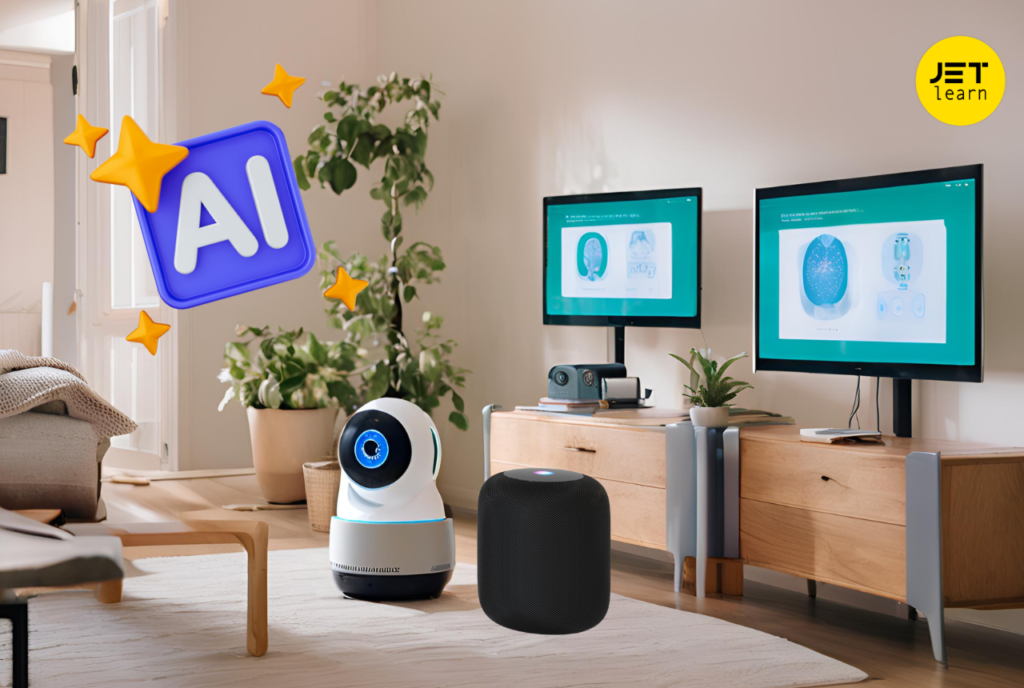
Smart-home technology can help people control lighting, heating, entertainment systems, and other connected devices. Depending on the products and settings, automation can respond to schedules, sensor information, or voice commands.
Build Your First Smart Home in India | iotics Guide
Consider a simple evening routine: lights turn on at a scheduled time, the thermostat adjusts to a preferred setting, and a connected speaker plays music. AI-enabled systems may add features such as conversational control or more adaptive recommendations, while many basic automations work without AI.
| Smart-home task | Possible benefit |
|---|---|
| Scheduled lighting | Convenient daily routines |
| Voice-controlled devices | Hands-free operation |
| Smart thermostats | More flexible temperature management |
| Robot vacuum cleaners | Less manual cleaning |
| Connected security devices | Easier monitoring and alerts |
The benefits depend on the equipment, compatibility, and settings. Keep devices updated, use strong passwords, and review which devices can access your home network or personal information.
AI for Content Creation and Creativity
AI has opened new possibilities for people who want to create content but may not have advanced design, writing, or editing skills. Text-generation tools can help brainstorm article ideas, while image-generation tools can turn written descriptions into visual concepts. Some platforms can also assist with video editing, captions, voice generation, and presentation design.
For content creators, this can make the early stages of a project faster. A blogger might generate a list of possible headlines, a social media manager could draft alternative captions, and a small business owner might develop ideas for a promotional campaign.
Best AI Video Generators of 2026 Ranked | Blog Picasso IA
AI works best as a creative assistant rather than an automatic replacement for original thinking. Your audience, brand voice, personal experience, and editorial judgment are what make content distinctive.
Try this simple workflow:
- Define the audience and purpose of your content.
- Ask AI for several ideas or a first draft.
- Select the strongest approach and add your own insights.
- Verify claims, names, statistics, and quotations.
- Review image rights, privacy, and any disclosure requirements.
- Edit the final result so it sounds natural and meets your quality standards.
Do not assume that AI-generated information or images are automatically accurate, original, or free from copyright concerns. Review the terms of the tool and the requirements of the platform where you plan to publish.
Benefits and Limitations of AI in Daily Life
AI can be useful across many areas, but understanding its limitations is essential to using it well.
| Benefits | Limitations |
|---|---|
| Helps automate repetitive tasks | Can make factual mistakes |
| Offers quick explanations and ideas | May misunderstand context |
| Supports language and accessibility tools | Quality varies by language and task |
| Helps organize information | Can reflect bias in data or design |
| Supports creative experimentation | Output may need significant editing |
| Can personalize some experiences | Personalization may involve data collection |
The most effective approach is to match the tool to the task. Use AI for brainstorming, organizing, drafting, and exploring options. For important decisions involving health, money, law, safety, or other high-impact matters, verify the information carefully and seek qualified guidance where needed.
How to Use AI Safely and Responsibly
As AI becomes more common, digital literacy is becoming just as important as knowing how to operate the tools themselves. A few simple habits can help you benefit from AI while reducing unnecessary risks.
Protect your personal information
Avoid entering passwords, banking details, private documents, or sensitive personal information into tools unless there is a clear need and you understand the privacy protections.
Verify important claims
Check facts, dates, statistics, and quotations against credible sources. AI-generated answers can be inaccurate even when they sound confident.
Think critically about results
Consider whether an answer is relevant, balanced, and supported by evidence. Ask follow-up questions when the response is unclear.
Keep human judgment involved
Review AI-assisted work before sharing or publishing it. Follow relevant workplace, school, and platform policies.
Privacy deserves particular attention because conversational AI can encourage people to share more information than they intended. The OECD’s 2026 policy brief on AI privacy highlights the importance of user control, transparency, and safeguards for personal data. OECD+1
Getting Started With AI: A Simple Daily Routine

You do not need to adopt multiple AI tools at once. Start with one small, useful task and evaluate whether the tool actually saves time or improves your result.
For example, a simple routine might look like this:
| Time of day | Example task | How AI could help |
|---|---|---|
| Morning | Plan your day | Organize tasks by priority |
| During study or work | Understand a difficult topic | Explain concepts or structure notes |
| Afternoon | Prepare a message or report | Create a draft for you to review |
| Evening | Plan meals or tomorrow’s tasks | Generate a checklist |
| Weekend | Learn a new skill | Suggest a practice plan and exercises |
These are only suggestions. You may find that AI is helpful for one task and unnecessary for another. Choose tools based on your needs, check whether free features are sufficient, and avoid paying for subscriptions you rarely use.
Frequently Asked Questions (FAQs)
1. What is AI in daily life?
AI in daily life means using artificial intelligence in everyday activities such as studying, writing, navigation, shopping, communication, and home automation.
2. What are some common examples of AI?
Common examples include voice assistants, facial recognition, spam filters, navigation apps, personalized recommendations, AI chatbots, and photo-enhancement tools.
3. How can AI help students?
AI can explain difficult concepts, generate practice questions, summarize notes, support language learning, and help students organize revision schedules. Students should verify information and follow academic rules.
4. Is AI safe to use every day?
AI can be useful, but safety depends on the tool and how you use it. Protect personal information, check important answers, use trusted services, and review privacy settings.
5. Can AI replace human intelligence?
AI can perform many specific tasks, but it does not replace human judgment, empathy, lived experience, or responsibility. Human oversight remains important, especially for high-impact decisions.